
This post has been a long time coming and on my to do list. For a while now I have been planning on sharing what I have done to not only log my experience outside of work, but to share with others. So I am quite excited to actually set time aside and working on writing this up.
When it comes to self-hosting, my journey started actually with resolving an issue. About 10 years ago, my now husband and I was living with his sister and her son in a 2-story house. At times I found there was a situation of yelling across the house to get another person’s attention. So I started to look at setting up a SIP phone system. I had an old 2008 Intel MacBook and figured I could use that for this.
So, I started looking at what kind of software I would need to get a service running. What I found was FreePBX. FreePBX is a Linux distribution with a front end for managing Asterisk, a software based PBX.
Until this point, my experience with Linux had been minimal. I could work with Windows and macOS fine, but I didn’t really have an understanding of how Linux and the various flavours of Linux worked. FreeBPX at the time was on CentOS, which was a community distribution of Red Hat Enterprise Linux. So I got an understanding of some common RHEL commands like yum. I already had a basic understanding of bash from using macOS, so I found it fairly easy to use commands in Linux.
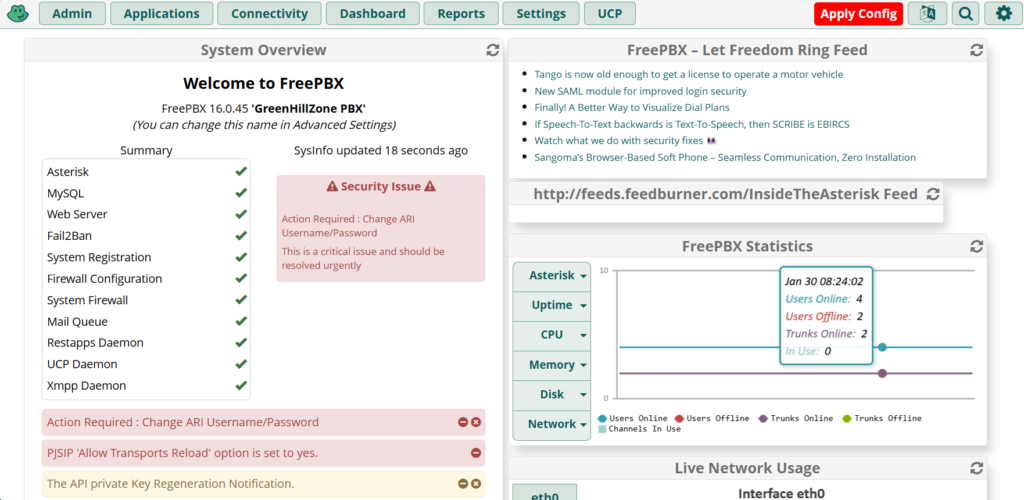
Most of the configuration is obviously done in the front end via the web interface. The front end takes care of the Asterisk configuration files for you which makes it a lot easier to manage. When you login, you get a general dashboard, and a long the top you have a range of settings. To add in phone lines, you manage that via the Connectivity drop down, for extensions or phones, you manage that via the Applications drop down.
Originally for phone line, I had used an analog to voip converter as our phone line service was being delivered by Telstra via a Telstra Gateway. Telstra don’t really let you have SIP (Session Initiation Protocol) details to self provision, they require you to use one of their modems to be able to use phone line. More recently though the phone line was ported to Internode, who does give you SIP details. So now the phone line is set directly in FreePBX.
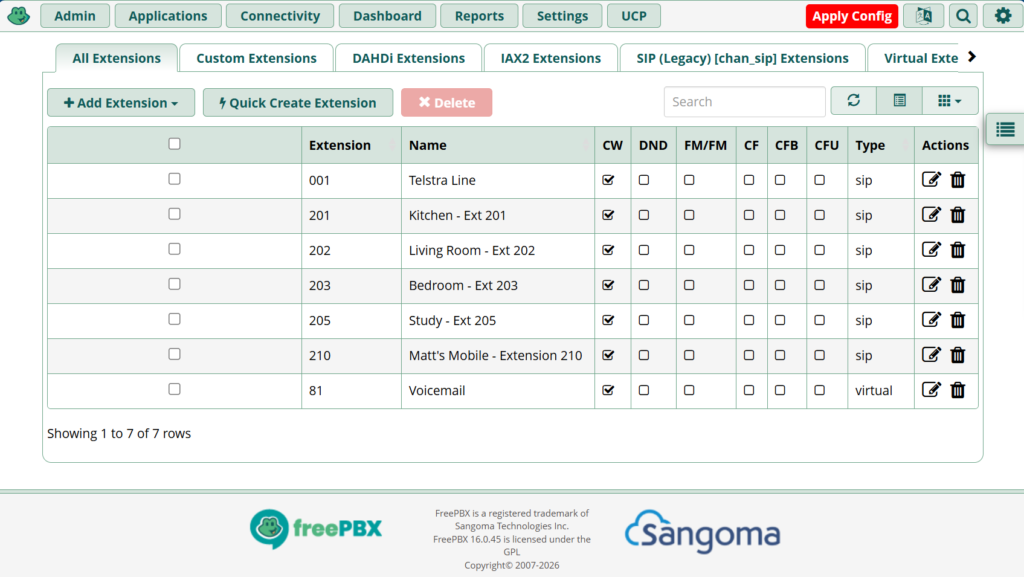
I also ensured that there was an extension for each phone. You basically think of an extension like an account for phones to sign into. From memory, we had 4 phones in the house. Though at the time, I also had to have an extention for the Telstra line to allow the analog to voip converter to work
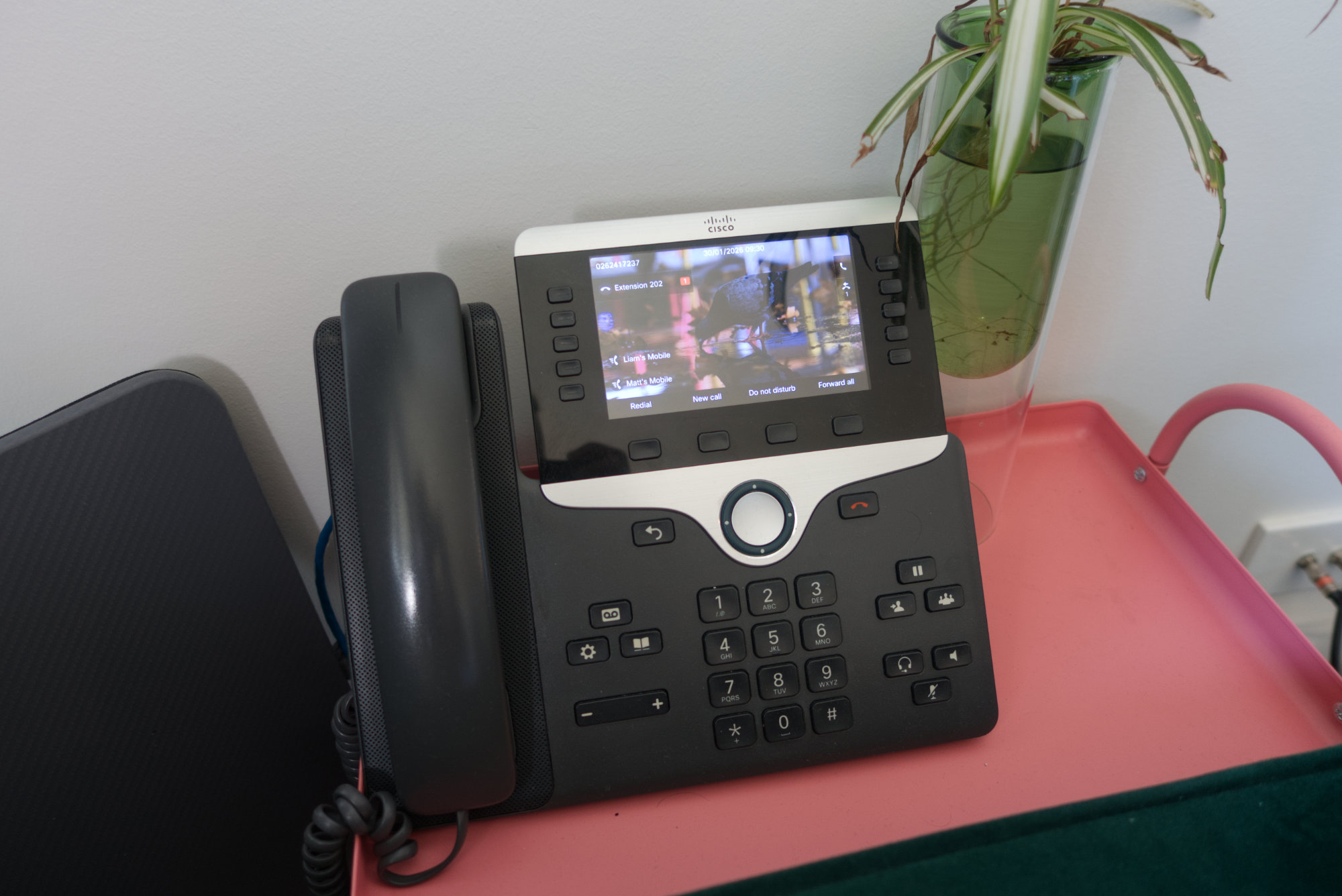
The only thing missing now was some phones. Today, a lot of businesses are using a softphone, which is basically a piece of software on your computer that allows you to take and make calls. However, I went down the route of going with physical phones, more specifically, desk phones.
There are a range of options to chose from, but I ended up going with Cisco phones. There tend to be very decently prices used ones going on eBay that have been removed from environments, many in good condition, but pretty much all in working order. But, there are some gotchas to look out for specifically for Cisco.
Not all Cisco phones, or firmware on the Cisco phones can do SIP. Some can only do SCCP (Skinny Client Control Protocol). In my case, the ones I received that had SCCP instead of SIP, just needed to be flashed with different firmware. This would allow the phones to register and be able to make and receive calls.
The other issue was with configuration. Cisco phones, while they may be technically able to work with SIP based PBX systems like FreePBX/Asterisk, they are primarily designed to work with Cisco’s own propriety PBX software called Cisco Call Manager. CCM builds configuration and deploys to your phones for you, but this isn’t really a think that FreePBX or Asterisk can do for you. Plus, the phones tend to not have a web configuration tool built in like some of the other vendors put in their phones such as Yealink. So this is where some online resources and an understanding for XML comes into play.
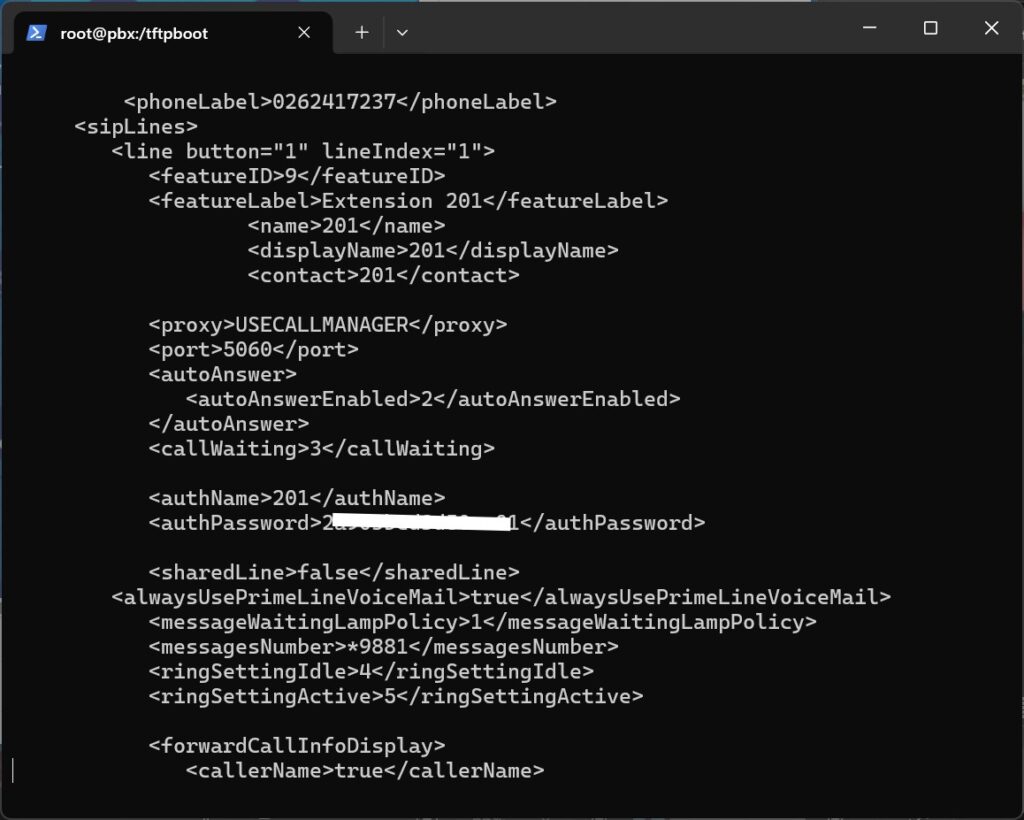
If you are playing along or ended up here trying to find out how to get those Cisco phones working with configuration, here is a helpful resource I ended up using. Configuring various Cisco 79XX IP Phones with Asterisk
The one thing that might be out of the ordinary though, is that I use a central voicemail extension, instead of a voicemail per extension. Any call that is missed goes through to an announcement, and then gets transferred to leave a message. The announcement is just me saying we can’t take a call at this time. Then each phone is configured so the voicemail button just dials the number to listen to the voicemail of the voicemail extension. In my case, the extension number is 81, and the phone dials *9881.
Cisco phones obtain their configuration via TFTP. If your phones can boot up, you maybe able to set a custom TFTP address. Otherwise, you will need to set the DHCP option 66 to the IP of the TFTP server on what ever is serving DHCP; usually your router. Your TFTP server in most cases will be your FreePBX server, and your TFTP folder should be sitting at /tftpboot
As long as the configuration files are sitting in the tftpboot directory, then your phones should be able to pull the configuration automatically when starting up.
And that’s basically it! You have yourself a working phone system.
There are a couple of things that this helped with my growth and experience
- Deployment of a Linux based system
- Improving my understanding and experience of bash
- Gaining new knowledge in networking such as static IP assignment and TFTP as well as getting an understanding of network reliability when it comes to voice
- Expanding my coding experience from HTML with XML configuration files
Hey, thanks for reading.
Just a little side note from me, while I had been writing this, I became aware that some people I work with were not aware of my technical abilities. While assumptions have been made about me, I will see this as an opportunity to continue to share my technical adventures outside of work.
Stay tuned as I continue to post more.
Also, if you have any feedback at all, please let me know.







Leave a Reply